 Sticky Widgets
Make room for the note you need.
Put a thought on your Home Screen, keep a short list in view, or find out what to check when a widget needs help. These guides walk through the things Sticky Widgets can do on your iPhone and iPad.
Download free on the App StoreFree notes and widgets. Optional Premium features.
Start with the basics
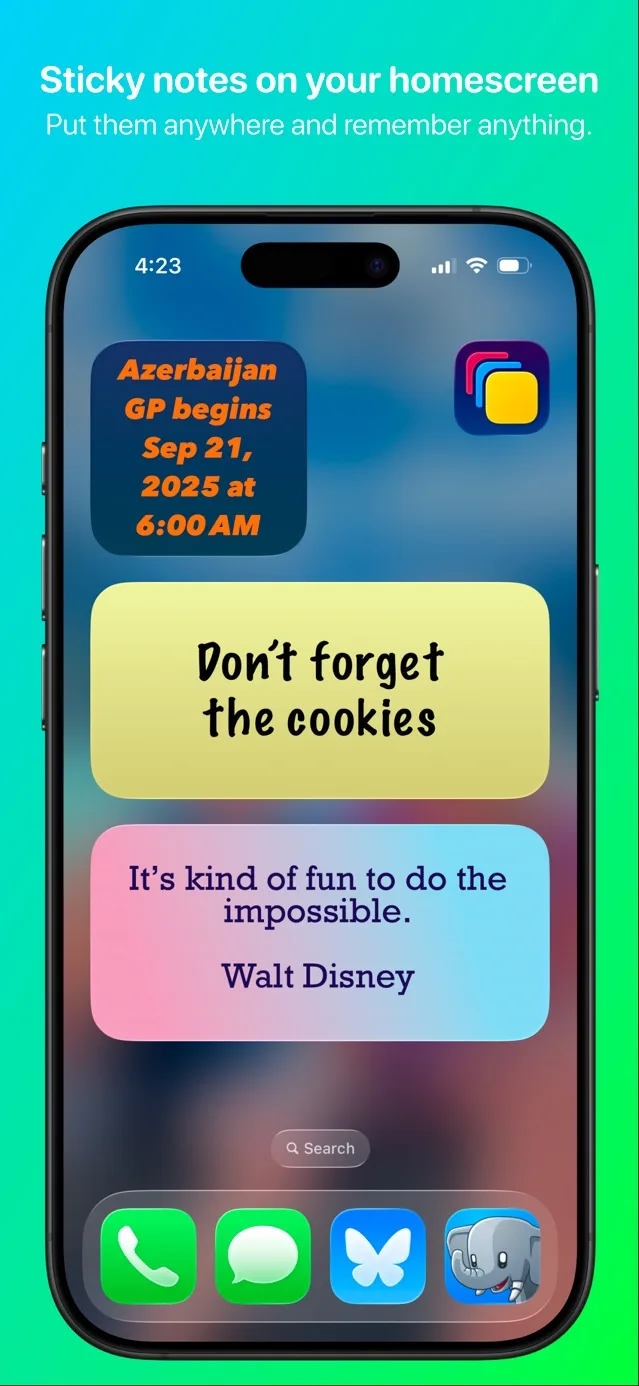
Add and manage widgets
Put the right note in the right place, on iPhone or iPad.
- How to put sticky notes on your iPhone Home Screen
Add a Sticky Widgets note to your iPhone Home Screen, choose the right note, and edit it with a tap. Start with a free text note or checklist.
- Add sticky notes to your iPad Home Screen
Set up Sticky Widgets on iPad, use a larger note widget, and sync the same note with your iPhone through your own iCloud account.
- Choose which note your Sticky Widget displays
Change the note assigned to a Sticky Widgets Home Screen widget. Learn the difference between editing note text and choosing another note.
- Put several sticky note widgets on one Home Screen
Display different Sticky Widgets notes for errands, priorities, and reference text. Assign each widget independently without duplicating a note.
- Choose the right size for your sticky note widget
Compare small, medium, large, and supported iPad extra-large Sticky Widgets layouts. Keep your note readable without squeezing in too much text.
Keep a short list in view
Checklists for today’s priorities, errands, study, and travel.
- Use an interactive checklist widget on iPhone
Create a Sticky Widgets checklist and check off items from a supported Home Screen widget. Keep a short list of tasks visible beside your apps.
- Keep your grocery list on your iPhone Home Screen
Make a personal grocery checklist in Sticky Widgets, keep shopping items visible, and check them off from a supported iPhone widget.
- Keep today’s to-do list visible on your iPhone
Build a short daily to-do list with Sticky Widgets. Choose a few priorities, display them on your Home Screen, and check off completed tasks.
- Make a study-session checklist for your Home Screen
Keep the next steps for a study session visible on iPhone or iPad with a short Sticky Widgets checklist and a concrete session example.
- Put a packing checklist on your iPhone Home Screen
Create a personal packing checklist in Sticky Widgets. Keep essentials visible, check them off as you pack, and review your list before leaving.
- Keep your next work priorities on a sticky note widget
Use Sticky Widgets for a short list of next work actions. Keep a clear handoff to your project tools without making the Home Screen a second backlog.
Make your notes feel like yours
Readable fonts, colors, light and dark appearances, and presets.
- Make a sticky note widget fit your Home Screen
Style a Sticky Widgets note with readable colors, fonts, and spacing. Learn what is free and which gradients, patterns, and presets need Premium.
- Change your sticky note’s font and text size
Choose a readable font in Sticky Widgets and adjust text size, alignment, and rotation. Compare the basic free options with Premium fonts.
- Give your sticky note separate light and dark appearances
Use Premium light and dark styling in Sticky Widgets. Pick readable backgrounds and text colors, then test your note in both system appearances.
- Save and reuse a Sticky Widgets style preset
Create a Premium style preset in Sticky Widgets and apply it to another note. Reuse a readable appearance without copying the original note text.
Capture and sync your notes
Use Siri, build a Shortcut, and sync across your own devices.
- Capture a sticky note with Siri and a Shortcut
Create a Sticky Widgets note with a named Siri Shortcut. Use the New Note action, choose its name and text, and test the workflow before relying on it.
- Create and update Sticky Widgets notes with Shortcuts
Use Sticky Widgets New Note, Update Note, and Add Item to List actions in Apple Shortcuts. Build a small workflow with explicit note selection.
- Sync your sticky notes between iPhone and iPad
Use Sticky Widgets iCloud sync across your own devices. Check the Apple Account, choose the synced note on each widget, and troubleshoot safely.
Explore what Premium adds
Understand pinning, reminders, restoration, and the free app.
- Put a sticky note on your iPhone Lock Screen
Understand Sticky Widgets Lock Screen accessory widgets and Premium Live Activity pinning. Display a note before unlocking, with clear system limits.
- Set a scheduled reminder for a sticky note
Use Premium scheduled reminders in Sticky Widgets. Choose a note and time, check notification permission, and distinguish alerts from visible widgets.
- What is free in Sticky Widgets, and what needs Premium?
Compare free Sticky Widgets notes, checklists, widgets, sync, and Shortcuts with Premium pinning, reminders, advanced styling, presets, and restoration.
- Find and restore an archived Sticky Widgets note
Understand Sticky Widgets note archiving and Premium restoration. Restore an archived note and check the Home Screen widget’s selection afterward.
Get a widget working again
Check missing notes, stale text, and ended pinned activities.
- What to check when your Sticky Widget is missing or blank
Check Sticky Widgets installation, active notes, widget placement, and note selection. Troubleshoot a missing or blank widget while preserving your notes.
- Troubleshoot a sticky note widget that is not updating
Compare a Sticky Widgets note with its selected Home Screen widget, separate sync from display problems, and preserve content while investigating stale text.
- Why a pinned sticky note can disappear from the Lock Screen
Check a disappeared Sticky Widgets Live Activity, its underlying note, Premium access, and device settings. Understand why pinning is not permanent.
Have a question about your own notes?
The support page has our email and feedback form. If you are deciding whether to upgrade, compare the free app and Premium first.