
A short reminder
Write the next step, a helpful phrase, or a detail you keep looking up. Choose a widget size and select your note.
Add your first iPhone sticky note →Put a note or checklist on your iPhone or iPad Home Screen. Keep today’s three priorities, a grocery run, or the next thing you need to remember beside your apps.
Download free on the App StoreFree download. Optional Premium purchases. iOS 17 or iPadOS 17 and later.
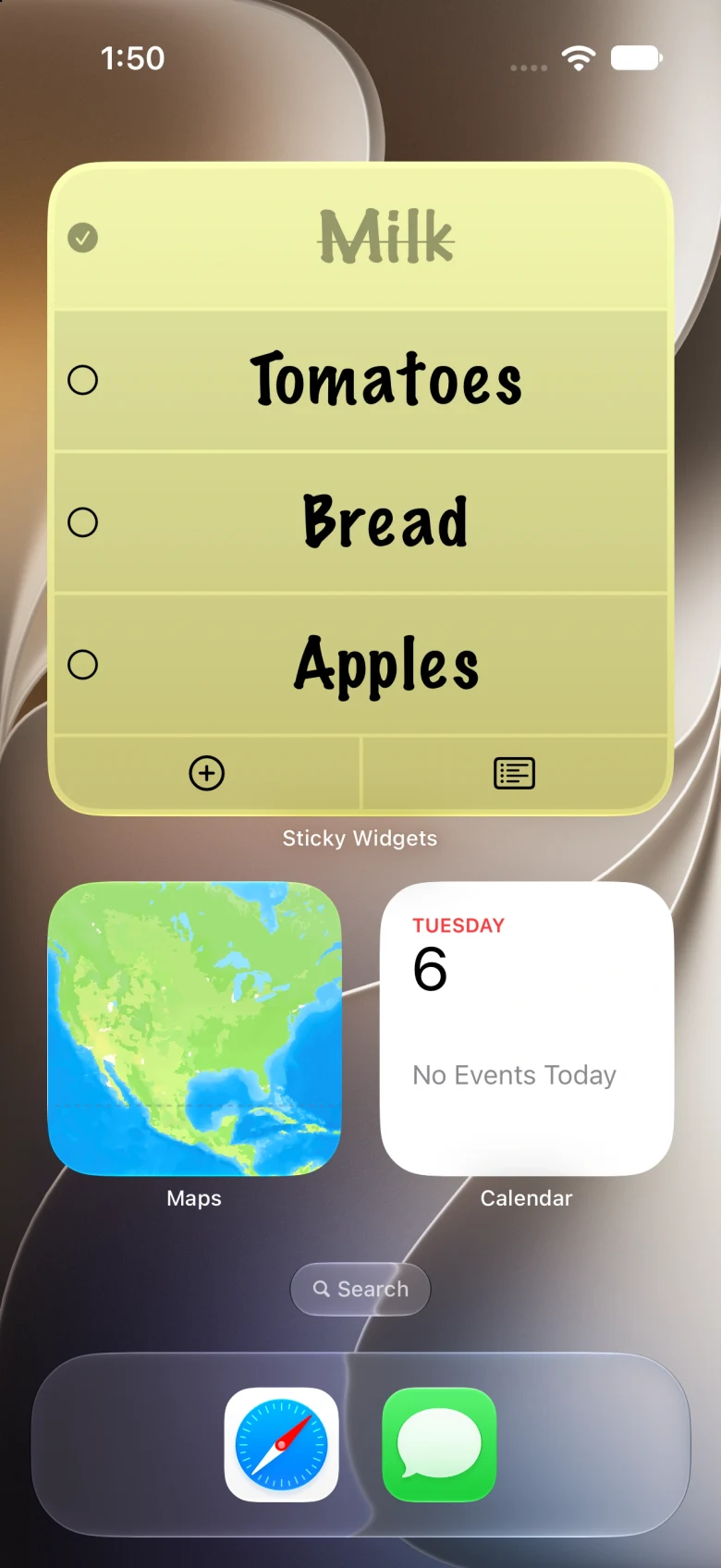
Write the next step, a helpful phrase, or a detail you keep looking up. Choose a widget size and select your note.
Add your first iPhone sticky note →Give each task its own checklist row. Tap a checkbox in a supported Home Screen widget as you finish.
Make an interactive checklist →Keep your own shopping list visible. Add items in the app or use an Add Item to List shortcut.
Set up a grocery widget →Your notes can sync across your own devices through iCloud using the same Apple Account. Place and select widgets on each device. Use a larger iPad widget when your list needs more space.
Add iPad widgets · Set up note sync · Capture notes with Shortcuts
Create text notes and checklists, add unlimited Home Screen widgets, and sync your own devices. Use three classic backgrounds and three fonts, with controls for text size, alignment, and rotation. Basic Siri and Shortcuts actions are included.
Pin notes as Live Activities, schedule reminders, save style presets, and explore more fonts, colors, gradients, and patterns. Premium also adds deleted-note restoration. Current plans and prices appear in the app’s purchase screen.
Sticky Widgets is for your own visible notes and short lists. Sync connects your devices on the same Apple Account; it does not provide collaborative editing between different people.
Download the app, create a note, and add a widget from your Home Screen. Our iPhone and iPad guides walk through setup, style, and troubleshooting. Contact support if you need help.
Download free on the App Store